




14 Oct 2026
Getting a rejection notice from Audible feels genuinely deflating, especially after weeks or months of recording, editing, and polishing something you were actually proud of. Learning how to publish an audiobook on Audible without hitting that wall takes more than just uploading a finished file and crossing your fingers. I found this out the hard way myself, after my first submission bounced back with a vague quality complaint that took me three separate tries to actually understand, let alone fix.
So let me walk you through what actually trips people up during this whole process, and how to sidestep the mistakes that send perfectly decent audiobooks straight into the rejection pile, sometimes more than once, which is exactly what happened to me before I figured any of this out.
Understanding Why Audible Rejects Submissions
Audible runs everything through ACX, their production platform, and ACX has technical requirements that are honestly stricter than most first time narrators and authors expect walking in. I certainly didn’t expect it, and I’d already put out a couple ebooks by that point, so it wasn’t like I was brand new to self publishing in general.
The most common rejection reason involves audio quality issues that seem minor but really aren’t. Background noise, inconsistent volume between chapters, or room echo you didn’t even notice while recording but that becomes painfully obvious once you’re listening back on decent headphones instead of your laptop speakers. ACX has specific requirements around noise floor levels, and if your recording setup wasn’t quiet enough, or your room had too much natural echo bouncing off bare walls, that shows up the moment their quality check runs.
Quick tip:
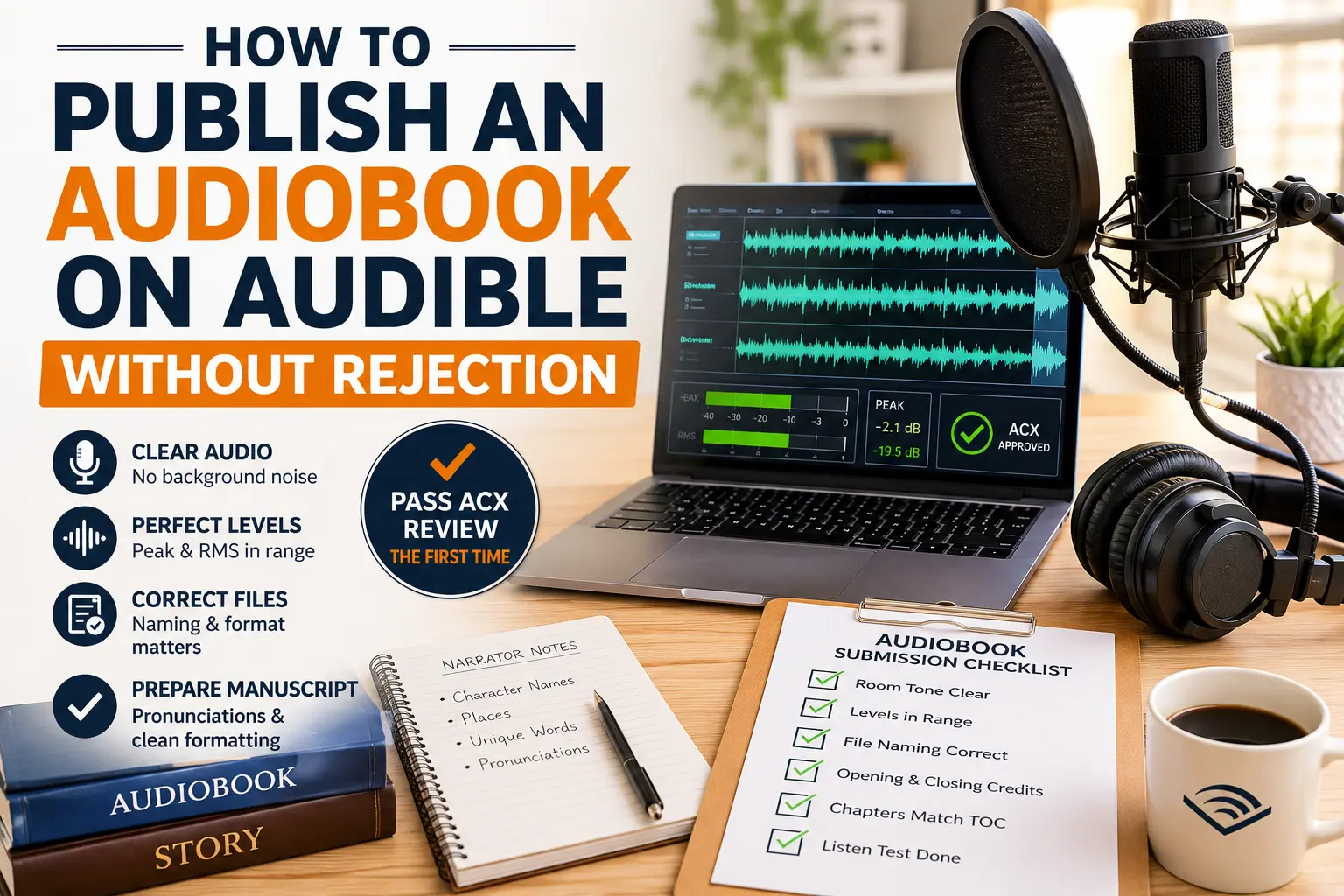
ACX wants your peak levels under negative three decibels and your RMS between negative eighteen and negative twenty three decibels. Check these numbers using free software like Audacity before you submit anything.
Peak levels and RMS levels matter a lot too, and these are terms most authors genuinely have never heard before diving into this. Peak level is basically the loudest point in your audio file, and RMS is the average loudness running across the whole thing. ACX wants your peaks under negative three decibels, and your RMS sitting somewhere between negative eighteen and negative twenty three decibels. Miss that range and your file gets flagged automatically, even if it sounds perfectly fine to your own ears, which honestly aren’t trained to catch this stuff anyway, mine weren’t at least.
Another common trigger is inconsistency between files. If chapter three sounds noticeably louder than chapter four, or there’s a different room tone between sessions simply because you recorded on different days under slightly different conditions, reviewers pick up on that pretty quickly. They want one cohesive experience from start to finish, not something stitched together from a dozen sessions spread across a month.
Formatting mistakes trip people up constantly as well. Missing opening or closing credits, incorrect file naming, chapters that don’t line up exactly with your table of contents. All of it can bounce your submission back, even when the narration itself is genuinely great.
The Technical Checklist Before You Submit
Before you even think about hitting submit, run through this list. It saves weeks of frustrating back and forth later, and I say that from experience.
Check your room tone first, before anything else really. Record thirty seconds of pure silence in your actual recording space and listen back with headphones at a decent volume, not just glancing at a waveform on your screen and assuming it’s fine. If you hear hums, hisses, or distant traffic sneaking in, you need better sound treatment before recording another word. That might mean moving to a quieter room, or just hanging a few blankets around your setup.
Run your files through something that shows peak and RMS levels clearly. Audacity is free and does the job well enough for most independent authors, no need to buy expensive studio software right out of the gate. Adjust your levels until you’re landing consistently within ACX’s range across every single file, not just the one chapter you happened to check first.
Confirm your file naming matches ACX’s exact requirements. Small thing, but it trips up way more people than you’d expect. They want specific naming for opening credits, closing credits, and each chapter file, and getting this wrong causes automatic rejection before anyone even hears your actual voice.
Listen through your files back to back, ideally in one sitting with fresh ears, not the ears you’ve had for three months while editing everything yourself chapter by exhausting chapter. Volume consistency between chapters matters more than people realize until they hit that jarring jump partway through and wonder what happened.
Choosing the Right Narrator Setup
Whether you’re narrating your own book or hiring someone else changes quite a bit about how you approach the publish an audiobook on Audible process, and it’s worth thinking through properly before committing to either path.
If you’re narrating yourself, invest in a decent mic and some basic sound treatment, even on a tight budget. A USB condenser mic somewhere in the hundred to two hundred dollar range, paired with a few moving blankets hung around your space, gets you surprisingly far. No professional studio required. I actually recorded my first audiobook sitting inside a closet full of hanging clothes, which sounds a bit silly saying out loud now, but it genuinely works because fabric absorbs sound reflections really well.
If you’re hiring a narrator instead, ACX has a marketplace where you post your project and get auditions from voice actors looking for work. Listen to full auditions rather than just short clips, since pacing and character consistency across a longer excerpt tells you far more than fifteen seconds ever could. Check reviews from other authors who’ve worked with that narrator too, since past experience tends to reveal communication habits a polished audition simply won’t show you.
A Real Situation Worth Learning From
A fellow indie author I know hired a narrator for her romance novel and got her first submission rejected twice over inconsistent audio levels between sessions. Turned out the narrator had recorded half the book in one location, then finished the rest weeks later somewhere else entirely, without matching mic distance or room setup between the two.
Rather than starting completely over, they brought in an audio engineer just to normalize levels and clean up the inconsistencies. Third submission went through without a hitch. The lesson applies to anyone working with a narrator remotely. Ask upfront exactly where and how recording will happen, and ask them to keep the same setup the whole way through, even across several sessions spread over weeks.
Preparing Your Manuscript for Narration
Before recording even starts, your manuscript needs some prep work that a lot of first time creators skip entirely, assuming the text is ready exactly as written.
Read through your book hunting for anything that translates poorly to audio. Bullet lists, footnotes, unusual layouts, all of it needs decisions made ahead of time about how it’ll actually sound read aloud. Pronunciation for unusual names or invented fantasy terms should get written out phonetically well before recording, since guessing mid session wastes time and creates inconsistencies if a name gets said differently chapter to chapter.
Put together a proper pronunciation guide for your narrator if you are not doing the narration yourself. This one step alone prevents a surprising number of awkward moments and re recording sessions later.
What Happens After You Submit
Once all the prep work is done and you’re ready to actually publish an audiobook on Audible, the submission itself still takes patience. ACX typically reviews within about ten business days, though that can stretch during busy stretches around holidays or big industry events.
If you do get rejected despite everything, read the feedback carefully instead of panicking. ACX usually points to specific files and timestamps, which makes fixing things far more manageable than it feels the moment that email lands and your stomach drops a little.
Resubmitting doesn’t mean starting over either, worth remembering when you’re feeling discouraged. You only fix and reupload the files that had problems, not the whole audiobook from scratch, which is honestly a relief once it clicks.
Conclusion
Learning how to publish an audiobook on Audible without rejection really comes down to understanding the technical requirements upfront and actually testing your files before submitting anything. Room tone, consistent levels, correct file naming, and a well prepared manuscript all work together to get you through ACX’s review smoothly on your first real attempt. There’s a genuine learning curve if you’ve never touched audio levels or software like Audacity before, mine took a few frustrated evenings to sort out. But once you understand what reviewers are actually checking for, the whole thing becomes far less mysterious, and a lot less frustrating, than that first rejection email might have made it feel at the time.