



12 Oct 2026
Say your proof copy just landed on your doorstep. You open it, and the words are crammed so tight against the spine that you have to crack it flat just to read a line, which is exactly why custom book formatting matters. Relax. The causes are usually simple, and they’re easy to fix once you spot them.
This post covers what formatting really includes, how print and ebooks differ, and when paying someone makes sense. I’ll also throw in a few checks you can run yourself tonight.
Why Your Word File Isn’t a Book Yet
Word processors were built for typing. They have no idea how a page will look in print or on a phone screen. So a file that looks great on your laptop can fall apart the second it goes anywhere else.
Here’s a common story. Maria, a first-time memoirist, writes her whole book in one Word file. She presses tab to indent and hits Enter again and again to push each chapter title down. After she uploads it, the indents shift, blank lines appear in the ebook, and her headings end up at different heights. Fixing it by hand takes a week, and a few errors come back anyway.
Shortcuts like these are behind most of the trouble. A properly built file uses styles instead, so each chapter title and paragraph follows the same rule. Change the rule once and the whole book follows.
What Custom Book Formatting Actually Covers
Readers almost never notice good formatting. Bad formatting, on the other hand, hits them right away, even when they can’t say why a book feels off. The work covers how every page looks, plus the technical file that holds it all together.
The Page Basics
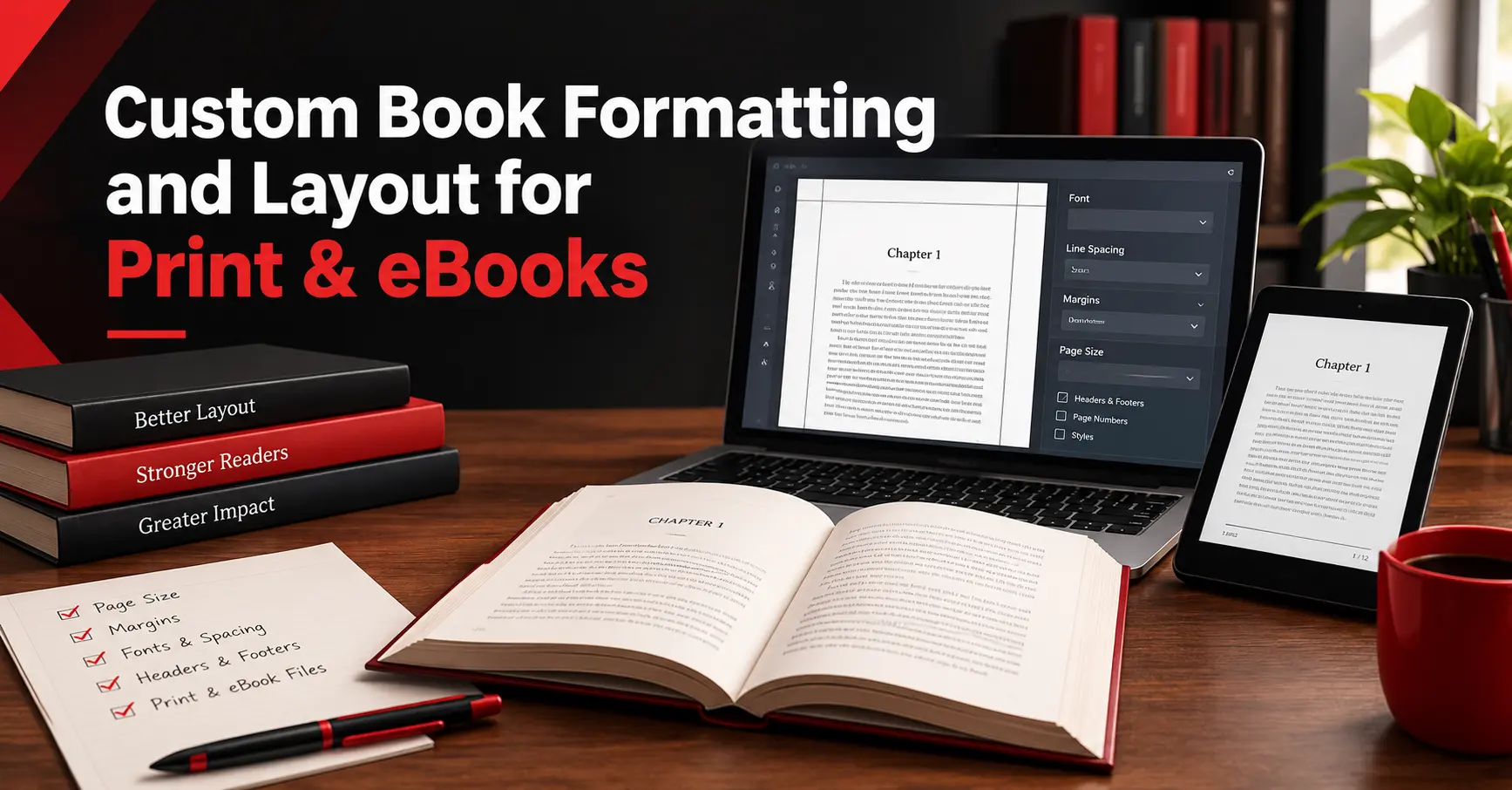
The first choice is trim size, which is just the page dimensions. Popular options are 5.5 by 8.5 inches and 6 by 9 inches. Next are the margins, and the inner one (the gutter) needs extra room so text doesn’t get lost in the binding.
Then the formatter sets the font, line spacing, running headers, page numbers, and chapter openings. They also fix small annoyances, like a single word alone on a paragraph’s last line or a heading left at the bottom of a page. Any single flaw is tiny. Pile a few together, though, and the whole thing reads like a rough draft.
When Custom Book Formatting Beats a Template
Templates and formatting software work fine for a plain novel. For a book that’s mostly plain chapters, a template is usually enough and costs very little. Add sidebars, tables, images, or a look you really want, and it starts to get in the way.
That’s where custom book formatting earns its price. A designer shapes the layout around what’s in your book instead of forcing it into a preset box. So it fits your genre and your readers instead of a one-size mold.
Print and Ebooks Play by Different Rules
One file rarely works for both. Each format needs its own build. Skip that step and you usually end up with two mediocre versions.
How Print Pages Work
A printed page is fixed. Once it’s printed, nothing moves. That gives you tight control over page breaks and spacing, but it also means planning for page count, binding, and any image that runs off the edge.
How Ebook Formatting Works
Most ebooks are reflowable, which means the text adjusts to each reader’s screen, font, and text size. You can’t decide where a page ends, so don’t waste energy trying. Good ebook formatting puts the effort into structure instead. Think working chapter links in the table of contents, headings that stay consistent, and images that fit a small screen.
EPUB is the format most stores accept. Amazon used to lean on MOBI and, as far as I know, has since moved toward EPUB, but I’d double-check the current rules on the KDP site. Whatever you pick, test the file on a few devices. One reading app can show it quite differently from another.
KDP Paperback Formatting Slip-Ups
Plenty of self-published authors start on Amazon KDP, and it’s picky about files. Most KDP paperback formatting trouble comes from the same handful of mistakes. You can catch them before you hit publish.
Your trim size has to match what you choose in the setup screen. Format for 6 by 9 inches, select something else, and the system may resize the file or reject it. Margins matter too, since thicker books need a wider inner margin.
Next, embed your fonts in the PDF and use images with enough resolution to print sharply. Blurry pictures and missing fonts look amateur fast. And don’t forget the cover, because its size depends on your final page count and paper type. KDP changes its guidelines now and then, so check the current rules instead of trusting an old blog post, this one included.
Why Layout Changes First Impressions
People judge quickly. Imagine a stranger opening your ebook sample on their phone. The paragraphs run together, the headings jump around, and chapter one starts halfway down the screen. They might close it before reading a single line of your story.
I don’t have a study to back that up, so take it as plain common sense. Still, you’ve probably done the same thing as a reader. A clean page feels trustworthy, while a messy one makes you doubt the writing.
This matters even more when the book supports a business. A consultant’s book acts like a calling card, so sloppy pages can chip away at the credibility it’s supposed to build.
Quick Checks You Can Do Tonight
Before you spend a dollar, print your first chapter on regular paper. Or just scroll through it on your phone. Mistakes you missed on a big screen show up fast on a small one.
Watch for uneven indents, double spaces after periods, fonts that change midway, and headings that shift size for no reason. Those usually mean somebody formatted by hand. And if your ebook’s table of contents doesn’t link to your chapters, the structure underneath is probably missing.
Peek at the front and back matter as well. A title page and a copyright page belong up front, and a short author bio at the end helps the book feel complete. Did you spot several problems? Don’t panic. It just means you’re a good candidate for outside help.
When Custom Book Layout Design Is Worth It
Some books need more than a steady flow of text. Cookbooks, poetry collections, and anything with footnotes get tricky fast. In those cases, custom book layout design pays for itself.
Take Daniel, a business coach writing a workbook. It had exercises, fill-in tables, callout boxes, and small diagrams. In a basic template, his tables split across pages and his callouts drifted around the text.
A designer rebuilt the pages with consistent boxes and rules that kept each table in one piece. The workbook then looked like it came from a traditional publisher, and readers could actually use the exercises. Even a plain novel gets a lift from small touches, like a decorative chapter opener.
Getting Ready for a Formatter
A bit of prep can save time and money. Send a final, clean manuscript in Word or Google Docs. Remove manual formatting if you can, but it’s fine if you can’t, since most formatters clean that up anyway.
Then gather the extras. That means high resolution images, a list of any tables or sidebars, and text for the front and back matter. Choose print, ebook, or both too, because it changes the timeline.
Finally, write down your tastes. Mention a few books whose look you like, plus a trim size if you have one in mind. A short brief like that helps your custom book formatting go right the first time, so you’ll need fewer revision rounds.
Choosing Book Formatting Services
Not every provider offers the same package, so ask before you pay. Does the price cover both print and ebook files? It’s a fair first question, because some charge separately for each.
Prices vary a lot, and I can’t give you reliable numbers here. Ask two or three providers for quotes and compare what’s included in each. Request sample pages from books in your genre, and see if the text looks comfortable to read.
Also ask how many revision rounds you get, how long it takes, and who owns the final files. You’ll want to update the book later without paying for a full rebuild. Finally, notice how they communicate. If someone answers your questions clearly before you hire them, they’ll probably do the same afterward.
What to Do Next
Before you contact anyone, lock your text. Every edit after formatting can shift the layout, which costs you time and money. Get your editing and proofreading done first. Then pick where you’ll publish.
When the text is final, email a short excerpt to two or three providers. Ask what they’d recommend for custom book formatting on your project, and compare the answers. Pick the one who explains things most clearly.
You spent months writing this book. Send that first sample request this week, and you’ll be a step closer to holding it exactly the way you pictured it.