




12 Oct 2026
Every author I’ve ever talked to hits this same wall eventually. You’ve got the idea. You can practically see the cover. You might even be able to hear the first line, the way you’d say it out loud if someone at a dinner party asked what your book is about. Then reality shows up uninvited, because an idea is not a book, and two hundred organized pages don’t assemble themselves just because you’re excited about chapter one. Most people quit right around here. Not because the idea was bad. Because nobody warned them how much scaffolding a book actually needs before it stands up on its own.
Google Gemini has worked its way into how a lot of authors handle that gap now, and I’ll be honest, for some parts of the process it genuinely helps. It won’t write your book for you though. If someone tells you it will, they’re selling you something that doesn’t exist. What it’s actually decent at is speeding up brainstorming, helping you untangle a pile of half formed thoughts, and giving you something on the page to argue with instead of a blinking cursor that just sits there judging you.
This is a guide to how Gemini for book writing actually works once you sit down and use it, not the polished version from a demo video. We’ll get into what it’s genuinely good at, where it quietly falls apart (and it does, more than people admit), and how to fold AI assistance into a process that still needs your judgment, your research, and your own editing eye at every single stage. Doesn’t matter if you’re a first time author, a coach trying to get your expertise onto paper, or a publisher checking out generative AI writing tools for a whole team. The advice underneath is the same. Use the tool. Stay in charge of it. And know when it’s time to bring in professional book writing services, because there’s a point where a chatbot has taken you as far as it’s going to.
Can Google Gemini Write a Book?
Short answer: not really, and definitely not one worth reading. Gemini can spit out an outline, draft a chunk of a chapter, throw dialogue options at you, summarize a mountain of research notes, or fix a paragraph that isn’t landing right. What it cannot do is plan a book the way a person plans one. It can’t fact check itself. It cannot make the editorial calls that turn a rough draft into something actually ready for readers, and I don’t think that’s a limitation that’s going away anytime soon.
Worth separating two things people tend to blur together here. AI assisted writing is when the author is running the show, bringing their own expertise and lived experience, using Gemini as a kind of tireless thinking partner along the way. Fully automated book creation is a different animal entirely. That’s the version where someone types in a title and expects a finished manuscript to fall out the other side. It almost never works, and readers pick up on it faster than most people assume they will.
The Workflow That Actually Holds Up
Here’s the workflow that actually holds up across a whole book, not just a paragraph here and there.
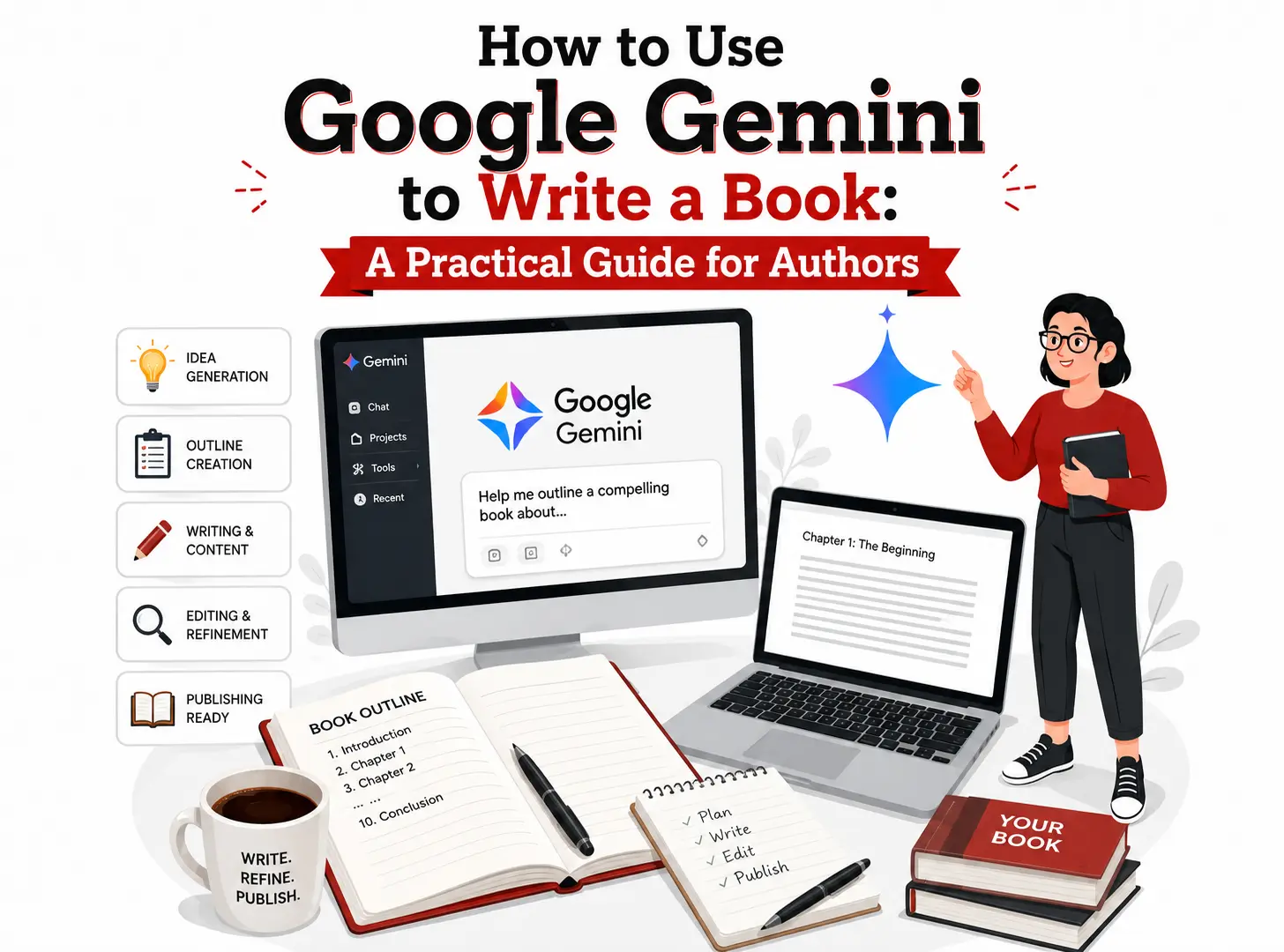
Author leads. Gemini helps draft and organize. Author goes back through everything line by line, no skipping ahead because you’re tired. Professional editor comes in and tightens up structure and prose. Proofreader catches whatever slipped past everyone else. Manuscript gets formatted the way it needs to be. And only then, finally, it gets published.
Skip a step in there somewhere and it tends to surface later. Usually in a review you can’t take back, which is the worst possible place to find out.
What Is Google Gemini and How Can Authors Use It?
Google Gemini is Google’s generative AI system, built to understand and produce natural language, and depending on how you’re using it, images and a few other formats too. For an author, honestly, the piece that matters is simpler than the technology behind it. You describe what you need. Gemini hands back a draft, a list, an outline, or a rewrite you can react to and shape from there.
I’d describe it less like a ghostwriter and more like an unusually well read assistant who has never once lived your life. No personal stories of its own. No idea what really happened at your old job, in your family, on that trip that changed everything for you. It never will know, unless you tell it directly. Which is exactly why it works so much better as a collaborator than a stand in for you.
Brainstorming Book Ideas
If you already know you want to write something but haven’t found the angle, start here. Give Gemini your subject, who you’re writing for, and a few directions you’re weighing, and it’ll throw back variations you might not have landed on alone, sitting there with a notebook and too much coffee. You’re not asking it to hand you the idea. You’re using it to widen the field a bit so you land on the strongest option faster.
Creating a Book Outline
Honestly? This might be the single most useful thing it does for authors. Give it your topic, your audience, your genre, roughly how long you want the finished book to run, and ask for a full outline with parts, chapters, and subsections. You’ll rewrite most of it. Guaranteed, no way around that. But having something to push back against beats staring at a blank document for an entire afternoon, which is a special kind of miserable.
Developing Chapters
Once the outline exists, go chapter by chapter instead of trying to generate the whole thing in one pass. Give specific instructions for each section as you get to it. Keeps things focused, and it means you’re editing something concrete instead of wading through a wall of generic text you’ll end up throwing out anyway.
Improving Existing Writing
This is where it quietly earns its keep, in my experience more than anywhere else. Paste in something rough. Ask for notes on clarity, pacing, tone. Ask for three different ways to phrase a sentence that just isn’t working, that you’ve read fifteen times and still can’t fix. Small, specific requests get you further than something vague like “make this better.”
Character Development
Fiction writers can lean on Gemini for character backgrounds, motivations, the kind of internal conflict that pulls someone in two directions at once, how a relationship might shift as the book moves forward. It’ll throw out dialogue options when you’re stuck on a scene. But you’re still the one who has to actually know these people and keep them consistent for three hundred pages. That part never gets outsourced. Not really, no matter how good the tool gets.
Nonfiction Book Development
For nonfiction, it’s handy for taking a pile of expertise and giving it some kind of shape. Suggests examples for a concept that’s hard to explain plainly. Proposes a chapter breakdown. Finds a simpler way to say something technical that’s been living in your head for years in jargon only you understand. What it absolutely cannot do is confirm your facts are right, or that your framework still matches where your field actually stands today. That check is on you. Every time. No exceptions, ever.
How to Use Google Gemini to Write a Book Step by Step
Here’s a process that keeps you in the driver’s seat instead of handing over the wheel entirely.
Step 1: Define Your Book Idea
Before you even open Gemini, get specific about your topic, genre, audience, purpose, tone, and roughly how long the finished book should be. The clearer you are going in, the better every prompt after this one performs. Vague input gets you vague output. True of any writing tool that exists, not just this one.
Step 2: Ask Gemini to Develop the Concept
Once the basics are settled, ask it to stress test the idea a little. Something like this works fine:
“I want to write a nonfiction book for new managers about handling difficult conversations at work. Suggest five possible angles or unique positioning approaches for this book, along with a short explanation of who each version would appeal to.”
Step 3: Create the Book Outline
Once you’ve picked your angle, move to the outline itself.
“Create a detailed book outline for a 200 page nonfiction book on handling difficult conversations at work, aimed at first time managers. Include an introduction, eight to ten chapters with working titles, three to five subsections per chapter, and a concluding chapter.”
Step 4: Develop One Chapter at a Time
Resist asking for the whole book at once, even when the outline looks great and you’re tempted. Working chapter by chapter, or section by section, makes inconsistencies way easier to catch and keeps your own voice from getting lost somewhere along the way. Also just keeps the whole thing manageable instead of overwhelming, which matters more than people admit when they’re staring down a 300 page project.
Step 5: Add Your Own Expertise
This is the step that actually separates a real book from filler. Full stop, no exceptions. Every draft Gemini hands you needs your personal experience woven in: your examples, your client stories, your research, your actual opinions on the subject, the ones you’d argue about at a bar. That’s where the originality lives, and it’s the part readers remember. Nobody remembers the generic parts. Ever.
Step 6: Fact Check the Content
Anything Gemini gives you involving statistics, dates, names, science, medicine, law, history, or citations should be treated as unverified until you personally check it. AI tools can say something with total confidence and still be dead wrong, which sounds obvious written out like this but is very easy to forget when you’re moving fast and the sentence just sounds right. This step isn’t optional. Especially in nonfiction and memoir, where real events and real people are involved and getting it wrong actually costs something.
Step 7: Revise the Draft
Go back through hunting for repeated phrasing, sections that don’t quite track, weak transitions, gaps in the structure. Gemini can help with this part too, actually. Paste in a chapter and ask it to flag repetition or suggest stronger ways to move from one paragraph into the next.
Step 8: Get Professional Editing
Once you’ve got a full draft you’re reasonably happy with, a professional editor, or a team offering professional book writing services, can do things you genuinely can’t see for yourself at this point. You’re too close to it. Everyone is, at this stage. Developmental editing handles structure and pacing at the whole book level. Line editing tightens the sentences themselves. Both matter more than most first time authors expect going in.
Step 9: Proofread and Format the Manuscript
Before this goes anywhere near a publishing platform, it needs its own separate proofreading pass, apart from editing, plus formatting that matches wherever you’re publishing. Amazon KDP has its own specifics. So does every other platform, and traditional publishers layer their own house standards on top of all of it.
Best Gemini Prompts for Writing a Book
Specific beats generic every single time, no contest. A few worth trying as is, or bending to fit your own project.
Idea and Outline Prompts
Book idea generation: “I have expertise in personal finance for freelancers. Suggest five distinct book concepts based on this expertise, each with a different target reader and angle.”
Book outline: “Create a chapter by chapter outline for a memoir about immigrating to a new country as a teenager, aimed at a general adult readership, roughly 70,000 words.”
Chapter development: “Draft an opening section for a chapter about overcoming imposter syndrome in a new leadership role. Use a conversational, encouraging tone and include space for a personal anecdote.”
Character development: “Help me build a profile for a secondary character in a mystery novel, a retired detective who’s reluctantly pulled back into one final case. Include motivations, flaws, and a possible arc.”
Research and Revision Prompts
Nonfiction research organization: “I have research notes on remote work productivity from twelve different sources. Help me group these into four or five thematic categories for a chapter outline.”
Improving a draft: “Review this paragraph for clarity and suggest a version that’s more direct and reads at a ninth grade level.”
Creating better transitions: “Suggest three ways to move from a chapter about early failures into a chapter about a turning point in the story.”
Identifying repetition: “Read this chapter and flag any words, phrases, or ideas that show up too often.”
Maintaining writing tone: “Here’s a sample of my writing voice. Rewrite this section so it matches that tone more closely.”
Creating a revision checklist: “Based on common issues in first drafts of nonfiction business books, build me a revision checklist to use before this goes to an editor.”
No prompt, however carefully worded, produces a finished, ready to publish book. Every one of these is a starting point. None of them is an ending point, and treating them like one is exactly how manuscripts end up sounding hollow and interchangeable.
How to Write a Book with Gemini Without Losing Your Voice
The real risk in AI assisted book writing isn’t that facts get wrong, though sure, that happens too. It’s that everything starts sounding the same after a while, in a way that’s hard to put your finger on until you’re three chapters deep and something feels off. Generative AI models are trained on a staggering amount of text, and left to their own devices, they drift toward smooth, neutral phrasing that could’ve come from literally anyone.
Keeping your voice means treating Gemini as a collaborator, not the author of record. Feed it samples of how you actually write and ask it to match that. Take AI generated sentences and put them back into your own words instead of leaving them as is, even when they sound fine on the surface, because fine isn’t the same as yours. Work in the specific phrases you actually use, the opinions you actually hold, and the stories that belong to nobody but you. The AI assisted books that actually work read like they came from a real person with a real point of view. That’s because, underneath all the drafting help, they did.
Using Gemini for Fiction Book Writing
Fiction writers can put Gemini to work on story concepts, plot structure, character arcs, dialogue options, scene ideas, world building details. Decent for pacing questions too, like whether a middle section is dragging (it usually is, if you’re asking), or for untangling a conflict that’s gone flat and needs some real tension put back into it.
None of that hands over creative control, though, and it shouldn’t. The voice, the emotional truth of the characters, the actual sentences a reader experiences, all of it still has to come from you. Gemini is at its best as something to bounce ideas off of when you’re genuinely stuck, not as the source of the story itself.
Using Gemini for Nonfiction Book Writing
Nonfiction authors tend to get the most consistent value out of Gemini, mostly because the work leans structural in a way fiction just doesn’t. Good for organizing chapters. Good for drafting explanations. Good for coming up with examples, building out frameworks and lists, figuring out how one section should flow into the next without a jarring jump.
Because nonfiction readers expect accuracy, fact checking matters even more here than in fiction. Every statistic, study, or factual claim Gemini produces needs to be independently confirmed before it goes anywhere near a published manuscript. Goes just as much for memoir writing, where real dates and real events are on the line and getting them wrong has actual consequences for real people, not just for your reputation.
Can Gemini Write a Book for Amazon KDP?
Gemini can be part of a broader Amazon KDP workflow, but it doesn’t replace any single piece of that workflow. A realistic version of the whole path looks something like this.
Book idea, then outline, then Gemini assisted drafting, then author revision, then professional editing, then proofreading, then formatting, then cover design, then metadata and keyword setup, then the actual KDP upload, then preview, then publication.
Amazon changes its formatting requirements and content policies now and then, so it’s worth checking KDP’s current documentation directly rather than trusting general AI advice for anything platform specific. Policies shift. Staying current on those specifics isn’t something any AI tool can promise to get right for you, and I wouldn’t trust one that claimed otherwise.
Gemini vs. Professional Book Writing Services
| Option | Best For | Strengths | Limitations |
|---|---|---|---|
| Google Gemini | Brainstorming and drafting assistance | Fast idea generation and writing support | Needs human direction and a thorough review |
| Professional Book Writer | Authors who need expert writing support | Experience, structure, voice, manuscript development | Bigger investment of time and money |
| Hybrid Approach | Authors who want AI help plus professional expertise | Combines the tech with real expertise | Takes some coordination to pull off well |
Professional book writing services tend to matter most for authors who’ve got a strong idea and real expertise but not the time, writing background, or plain confidence to turn it into a finished manuscript on their own.
Book Writing Services Near Me vs. Online Professional Writers
People searching for book writing services near me often assume proximity matters more than it actually does. Most manuscript work happens over calls, email, and shared documents these days, regardless of where the writer physically sits, and honestly, some of the best writers I’d point someone toward aren’t even in the same country.
What actually matters more than geography:
- Relevant genre or subject matter experience
- A portfolio you can actually go look at, not just be told about
- Clear, responsive communication from the start
- A defined process and a realistic timeline
- A transparent scope of services
- A clear revision policy
- Honesty upfront about how long things will actually take
- Clarity on manuscript ownership and rights
- Confidentiality where the material calls for it
- A real, working grasp of current publishing requirements
An online writer with strong genre experience and an actual track record will usually beat a local option picked mostly because they’re nearby.
Professional Book Writing Services: When Should You Hire a Professional?
A few situations tend to call for outside help, no matter how much you enjoy working with Gemini on your own:
- A strong idea that won’t organize itself into clean chapters
- Not having the consistent time writing genuinely requires, and let’s be honest, most people don’t
- A complicated nonfiction book that keeps sprawling in every direction
- A memoir that needs real events shaped into something that actually reads well, not just something that happened well
- Wanting a ghostwriter or a co-writer to work alongside
- An unfinished manuscript sitting in a drawer somewhere, half done for years, that you think about more than you’d admit
- Needing help getting a manuscript ready for actual publication
None of this is either-or, and treating it that way is a mistake. Plenty of authors use Gemini for early brainstorming and drafting, then bring in professional book writing services once they’ve got a working draft that needs structure, real development, and polish.
How Generative AI Is Changing Book Writing
Generative AI has reshaped the early stages of book writing more than any other part of it, at least so far. Brainstorming moves faster. Sorting through research takes a fraction of the time it used to. Getting a rough first pass of a chapter down no longer means staring at a blank page for an hour before typing a single word out of pure dread, which honestly used to eat up half a writing session for a lot of people.
What hasn’t changed, and I doubt it will, is authorship itself. Someone still has to decide what the book is actually about, bring real expertise or lived experience to the page, catch the errors nobody else will catch, make the hundred small judgment calls that turn a pile of AI generated paragraphs into something that reads as one coherent whole. Generative AI is a productivity tool sitting inside the process. It is not the process. Treating it that way is where things go sideways.
Limitations and Risks of Using Gemini to Write a Book
Used carelessly, Gemini can introduce real problems into a manuscript, and it’s worth being honest about what that looks like instead of glossing over it:
- Generic writing that could belong to any book on the subject
- Phrasing that repeats itself across chapters without anyone noticing until a reader points it out in a review
- Information stated with total confidence that turns out to be flat wrong
- Missing context on anything specialized
- Tone that drifts from one section to the next without meaning to
- Character inconsistencies in fiction, especially over the length of a full manuscript
- Storytelling that never quite finds real stakes
- Leaning on AI output instead of your own expertise because it’s easier, and it is easier, that’s the whole problem
- A missing sense of personal experience or original insight running through the whole thing
- The constant, ongoing need to fact check everything, every time, no matter how confident it sounds
There are also copyright, originality, and privacy questions that shift depending on where you live and which platform you’re publishing through. Not an area where general AI advice can stand in for checking the actual current laws and policies yourself.
How to Make an AI-Assisted Book Sound Human
A handful of habits genuinely make the difference here:
- Add real personal experience wherever it fits naturally, not forced in
- Use specific, concrete examples instead of generic placeholders that could apply to anyone
- Rewrite anything that sounds like it could’ve come from a stranger
- Keep your voice steady from the first page to the very last one
- Bring in insights only you could actually offer
- Cut repeated wording the second you spot it
- Fact check every claim before it goes anywhere near print
- Review each chapter on its own terms, not just the manuscript as one big lump
- Bring in professional editing before calling anything final
- Read the whole thing straight through the way an actual reader would, not piece by piece, out of order, half distracted by your phone
That last one matters more than people give it credit for. Editing paragraph by paragraph misses problems that only become visible once you read the book as one continuous, connected thing.
How Book Editing and Professional Writing Work Together
A realistic manuscript journey goes something like this: idea, then AI assistance, then writing, then developmental editing, then line and copy editing, then proofreading, then formatting, then publishing.
Even a manuscript that leaned heavily on Gemini in the early stages benefits from every single one of these steps. Developmental editing catches structural problems the author is usually too close to see clearly, because you’ve read it forty times and stopped noticing. Line editing sharpens the sentences themselves. Proofreading catches whatever slipped through everything that came before it. Skip any of these steps and it tends to surface later, in a review, which is a far more expensive place to discover a problem than during the editing process itself.
How Gemini-Assisted Book Content Can Support Search and Generative AI Discovery
If your book project comes with a website, an author page, or supporting blog content, the same things that make a book readable also make content easier for search systems to make sense of. Google Search, Google AI Overviews, Gemini itself, and other generative AI search experiences tend to favor content that answers questions directly, organizes itself clearly, and actually covers a topic instead of skimming past it.
In practice that means clear headings, direct answers to the questions people are actually typing in, organized sections, consistent terminology throughout. None of that guarantees rankings, a spot in an AI Overview, or a citation from any particular system, and anyone telling you otherwise is overselling what they can control. What it does is make your content genuinely more useful to the people and systems trying to understand it. Honestly, that’s the only strategy that’s held up regardless of how search technology keeps shifting underneath everyone’s feet.
Common Mistakes Authors Make When Using Gemini for Book Writing
- Trying to generate an entire book from a single prompt, which never works and somehow people keep trying it anyway
- Publishing AI output straight through with zero editing
- Giving Gemini too little to actually work with
- Never sitting down to define a target audience clearly
- Letting the AI’s tone quietly drown out the author’s own until you can’t tell whose book it is anymore
- Skipping fact checking because it feels tedious
- Repeating the same point across chapters without catching it
- Losing the thread between chapters, especially in fiction where continuity matters most
- Using vague prompts and then wondering why the output feels flat
- Leaning on AI instead of your own expertise because it’s the path of least resistance
- Skipping professional editing to save time or money, which usually costs more later, in ways that are harder to fix
- Treating proofreading as an afterthought
- Never once reading the finished manuscript start to finish as a single piece of writing
Gemini Book Writing Workflow Checklist
- Define your book concept
- Identify your target audience
- Select your genre
- Create a full book outline
- Set clear objectives for each chapter
- Write specific Gemini prompts for each section
- Draft chapters one at a time
- Add your own expertise, stories, and insights
- Review all AI generated material closely
- Fact check every claim, date, and statistic
- Check for consistency across chapters
- Revise the full manuscript
- Complete a developmental editing pass
- Complete line and copy editing
- Proofread the finished manuscript
- Format the book for your publishing path
- Prepare all publishing files
- Review current KDP requirements if you’re self-publishing
- Do one final full manuscript review
- Publish
Conclusion
Google Gemini can genuinely speed up parts of writing a book, from early brainstorming through outlining, drafting, and revision. Used well, it removes a good chunk of the friction that keeps solid ideas from ever becoming finished manuscripts.
What it doesn’t do is replace the things that actually make a book worth reading. You still have to own the direction, the voice, the final content, every bit of it. Anything AI generates needs review and revision, no shortcuts there, ever. Fact checking isn’t optional. Professional editing consistently makes the final product better, and authors who need more structured support can find real value in professional book writing services at whatever stage they happen to be stuck.
If Amazon KDP or another publishing path is where you’re headed, plan for a full pass of editing, proofreading, and formatting before you upload anything. Gemini can help you get that first draft down faster than you’d manage alone, and that’s genuinely worth something. But everything after that draft is where the real book actually gets made, and that’s exactly where good editors and professional book writing services can help you get across the finish line with something you’re actually proud to put your name on.